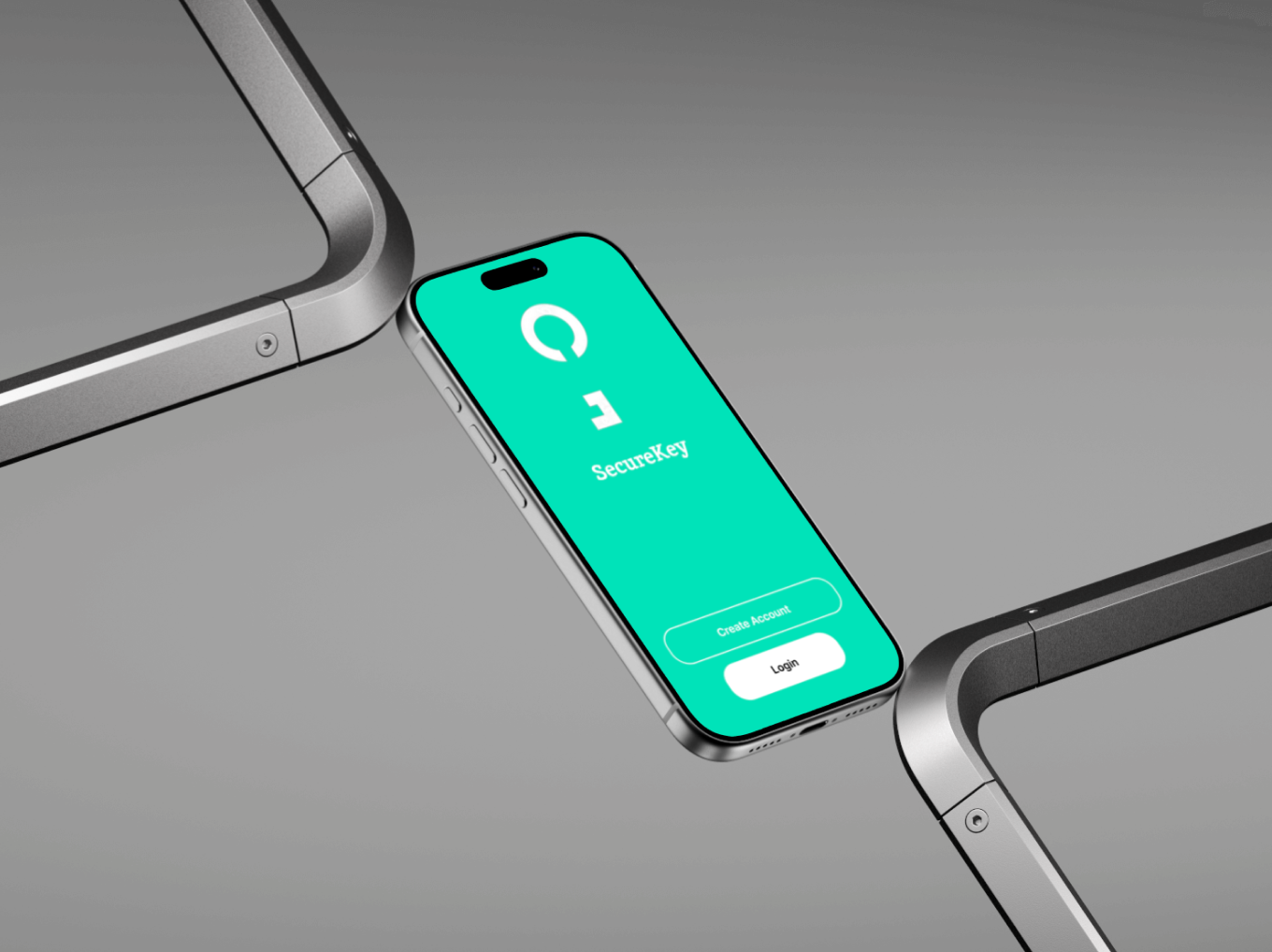
SecureKey Mobile App
My Role
UX/UI designer
Tools
Figma
Timeline
4 weeks
The Opportunity
In a time where smart homes and connected devices are becoming the norm, many users lack visibility into who is entering or leaving their space, especially in shared living environments or workplaces. The opportunity was to design a solution that allows users to monitor device activity in real time, providing peace of mind, transparency, and an added layer of security. SecureKey fills that gap by tracking both registered and unknown devices as they enter or exit a location.
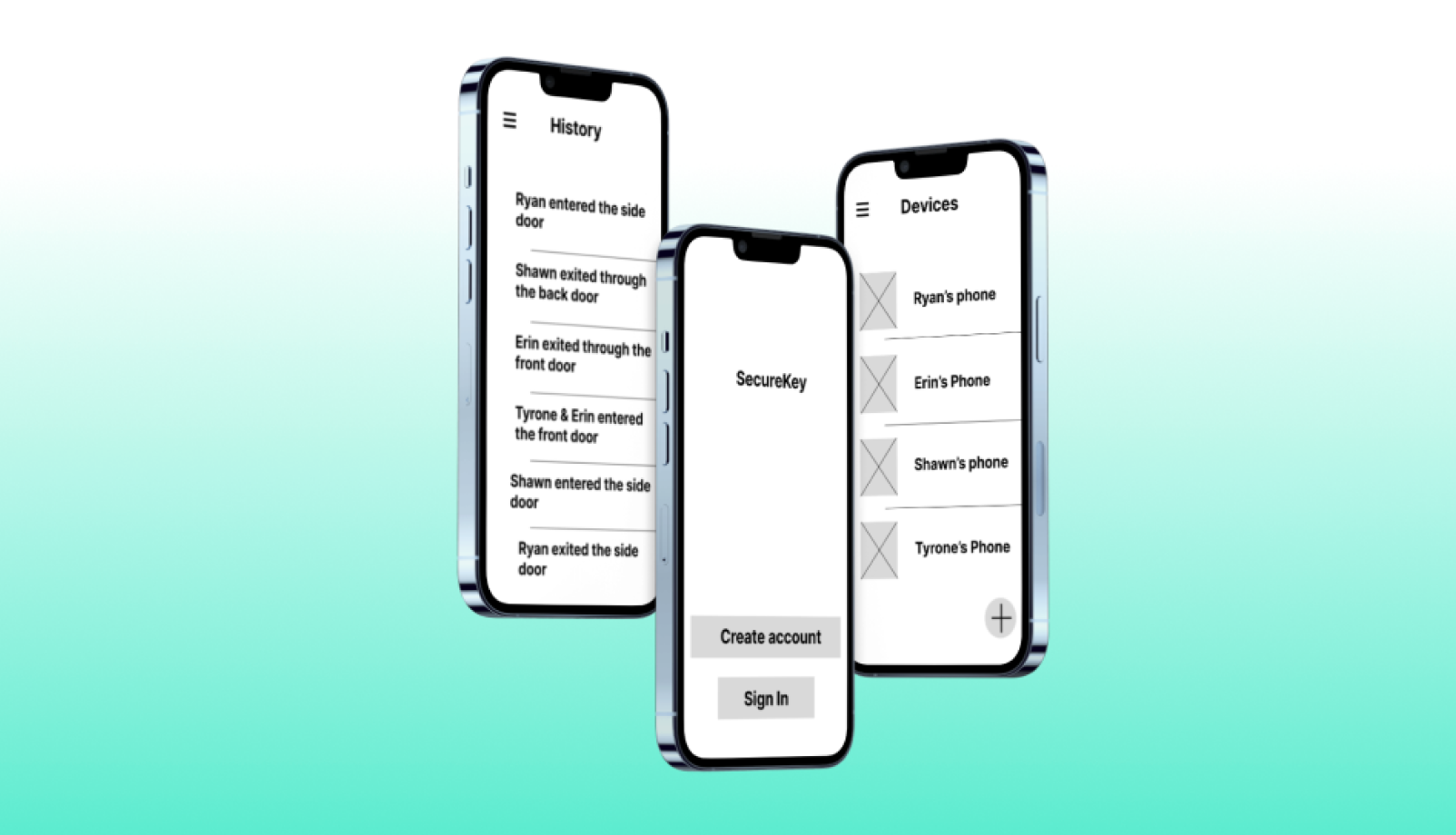
Early wireframes showing the initial onboarding and dashboard concepts for SecureKey. These helped define the core layout, navigation, and user flow for device detection and activity alerts.
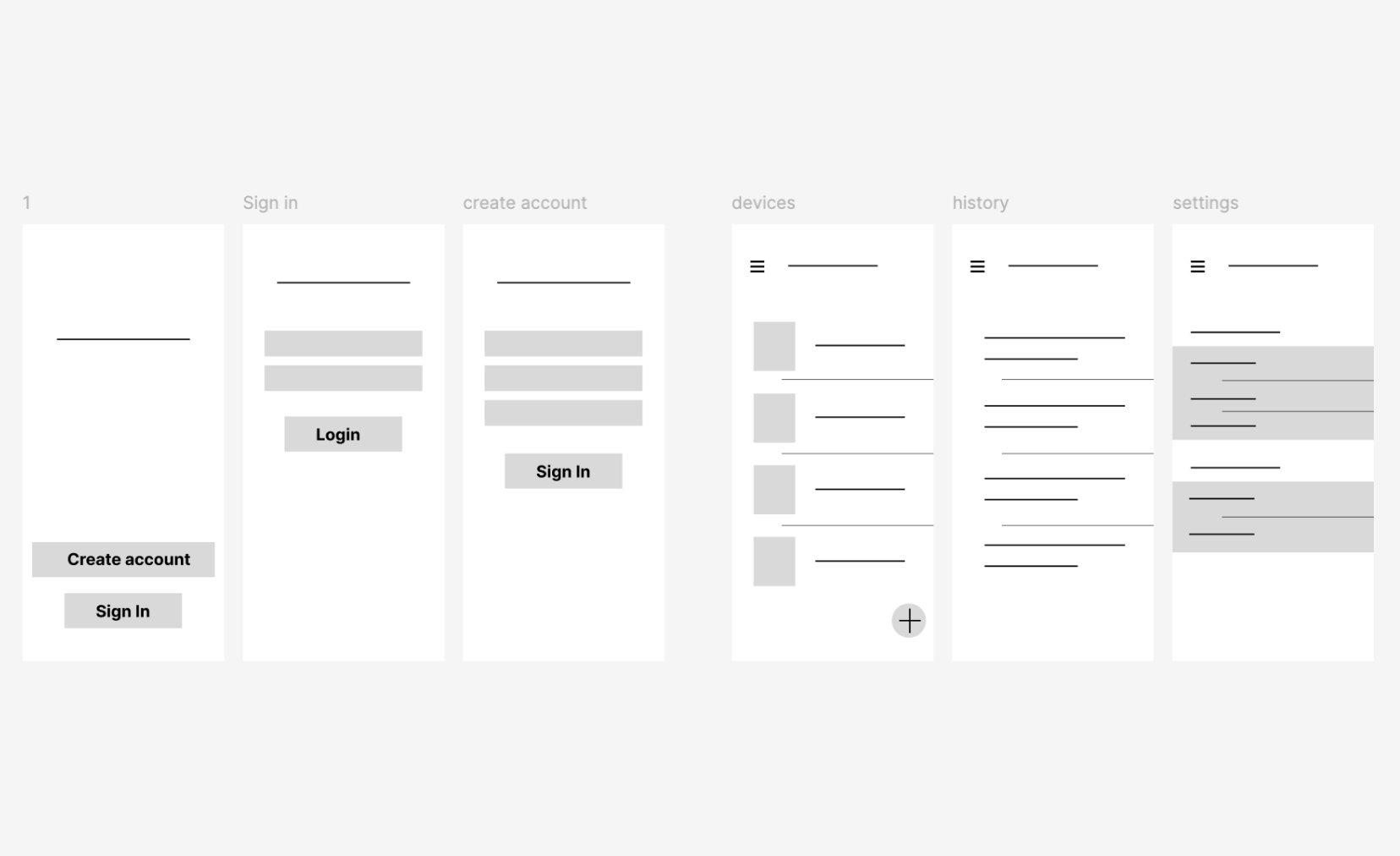
User flow diagram outlining how SecureKey tracks devices, differentiates between registered and unregistered users, and communicates alerts to the primary user.
Design a simple, intuitive interface for users to register trusted devices and receive alerts when any device enters or exits the premises.
Ensure the app clearly distinguishes between known and unknown devices in a non-technical way.
Create a frictionless setup process that could be completed in minutes, even by less tech savvy users.
Build trust through visual design and UX patterns that convey reliability, security, and transparency.
Project Goals
My Approach
To design SecureKey, I started by identifying the key pain point: users not knowing who was coming and going from their home or shared space, especially in today’s connected world. I conducted informal interviews with users living in apartments, shared houses, or with family members to understand their concerns about privacy and security. From there, I mapped out core user flows registering a device, detecting unknown devices, and receiving notifications.
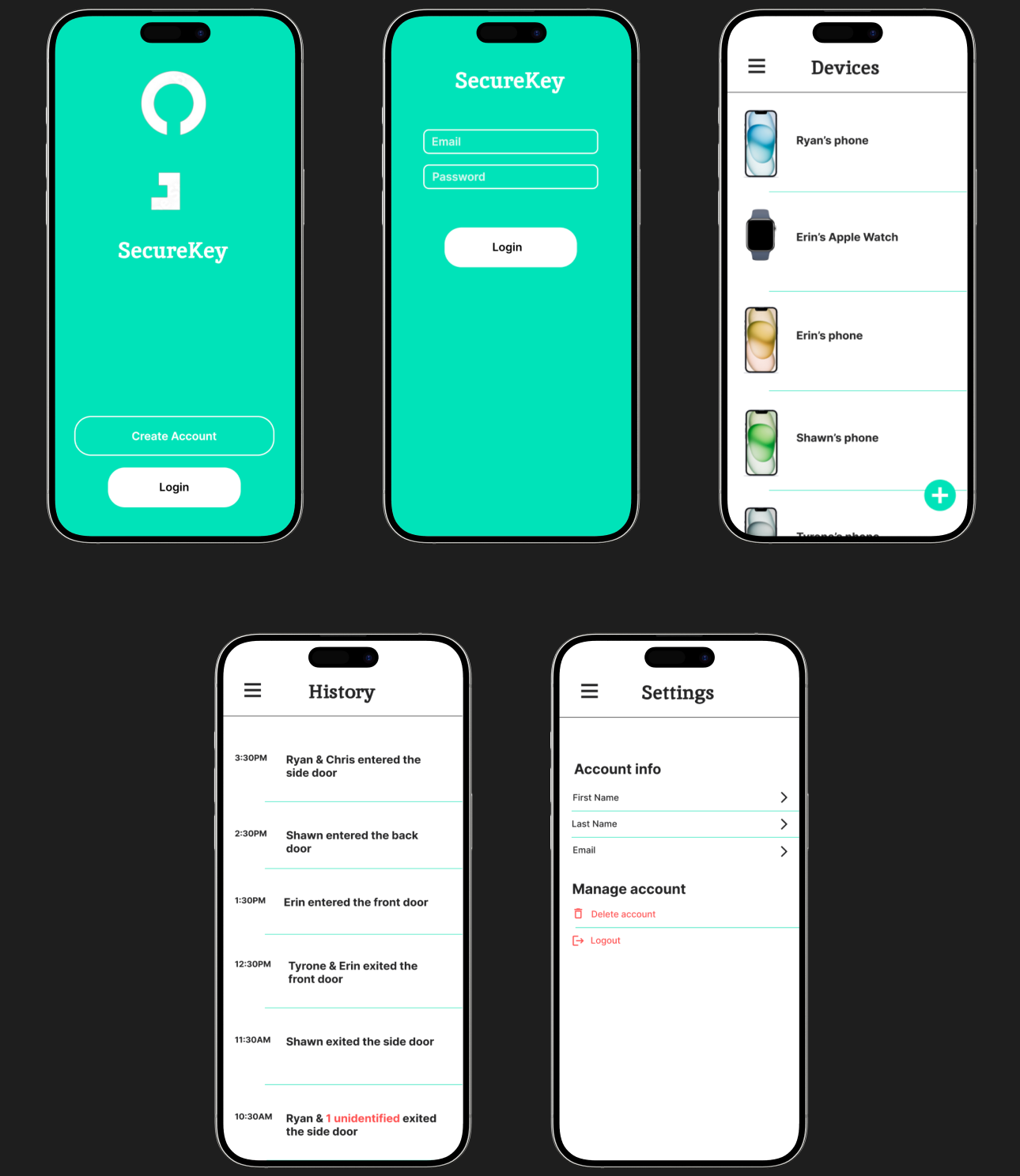
I used low fidelity wireframes to explore different layouts and notification styles before developing high fidelity mockups in Figma. My focus was on simplicity, clarity, and building trust through the interface using clean visuals, intuitive navigation, and clear status messages. Each iteration was driven by feedback and a goal to reduce cognitive load for non-technical users.
Conclusion
SecureKey successfully addresses a growing need for device level security awareness in shared or personal spaces. Through user-centered design and iterative prototyping, I was able to deliver an interface that feels trustworthy and intuitive.
This project taught me the value of clear language in UX, especially when dealing with tech heavy topics and how even small additions like icons can improve understanding. Moving forward, I would love to explore deeper integrations with smart home devices and enable real time push notifications based on door sensors or motion detectors to enhance the experience further.